From "old phone in a drawer" to "my website is live" - everything PhoneRig can do, in the order you'll actually do it.
Use the phone you want to be the server - an old one you can leave plugged in is perfect. Keep it on Wi-Fi and on the charger.
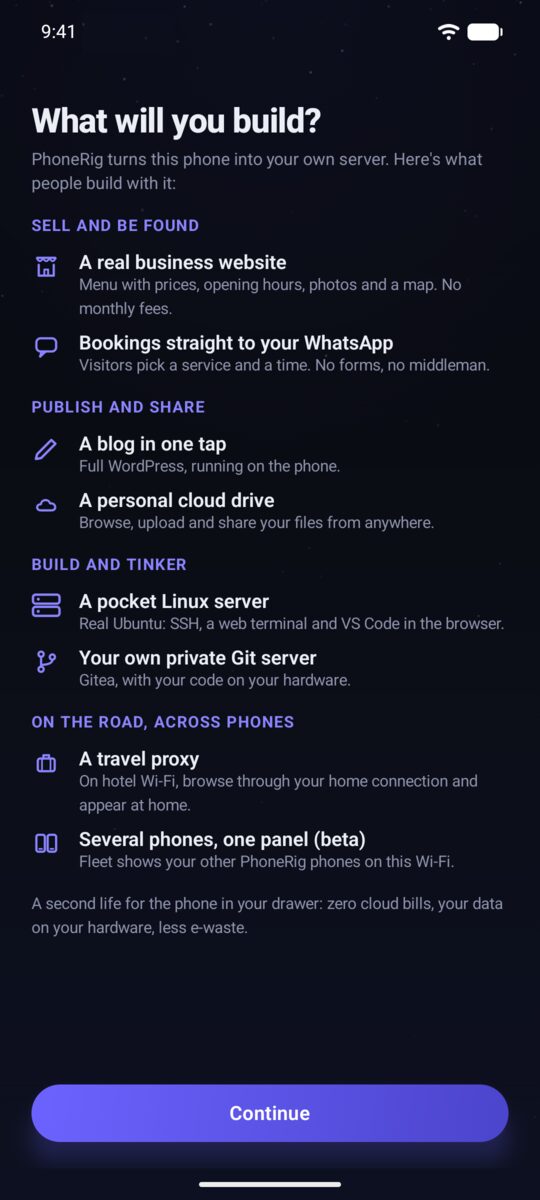
A short "What will you build?" tour opens first: a business site with bookings, a blog, a personal cloud drive, a pocket Linux server, a travel proxy and more. It's a menu of ideas, not a commitment - you can build any of them later.
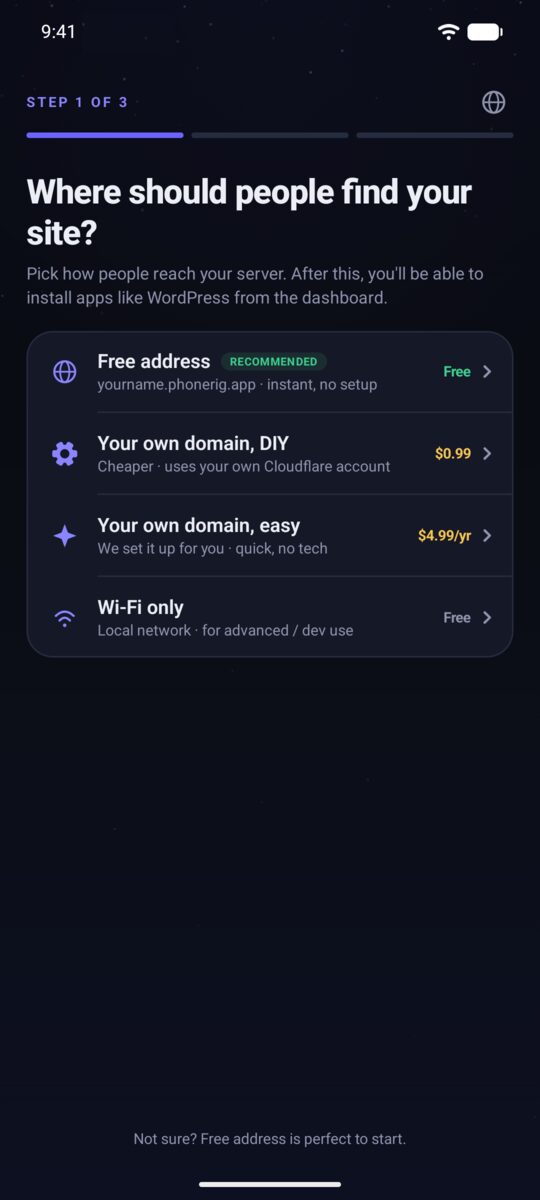
Choose how visitors reach you: a free subdomain like yourname.phonerig.app, your own domain (guide here) - the easy managed option, or the cheaper DIY route on your own Cloudflare - or Wi-Fi only for a private start. You can change this any time later.
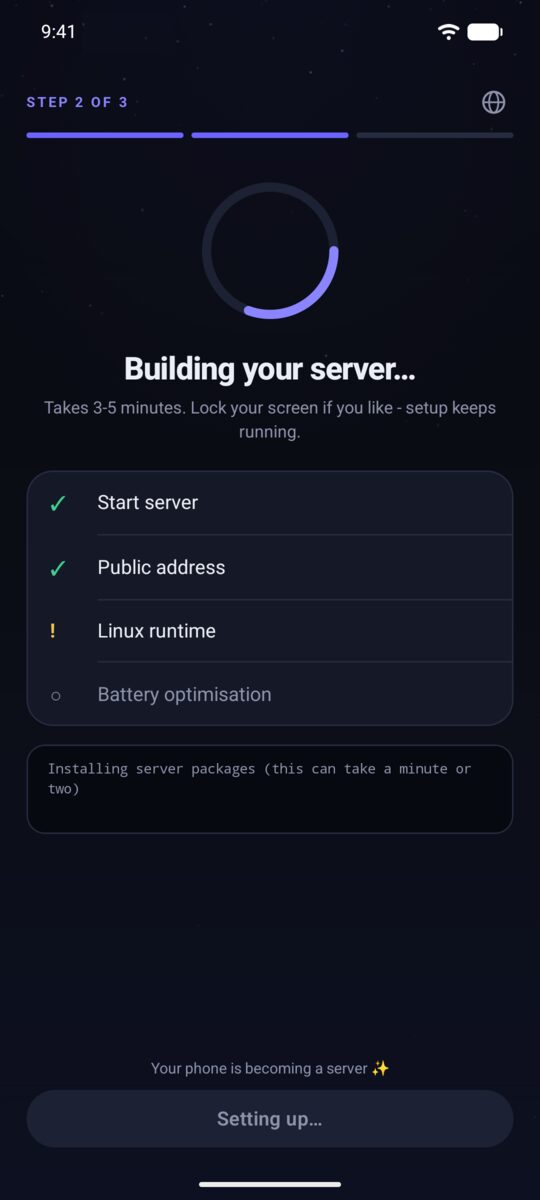
PhoneRig unpacks a tiny Linux system and starts your web server by itself - usually a few minutes. You can leave the app or lock the screen; setup keeps running and the notification shows progress.
The Server tab shows a green dot and Your server is on, with your address in the Live at card underneath. Tap it to open your site - that's the page the world sees.
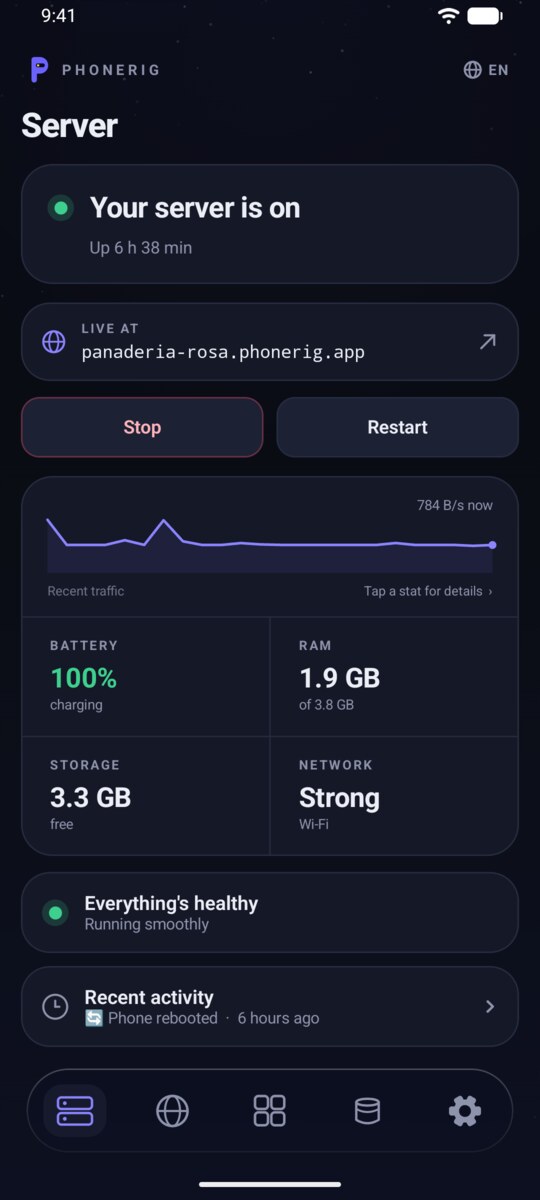
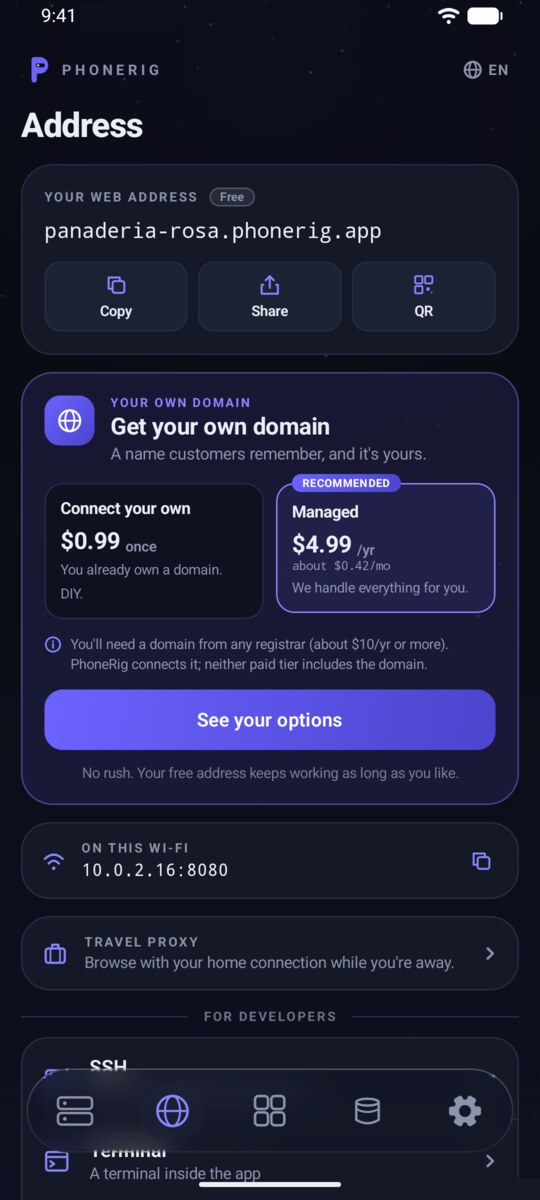
The tabs sit on a floating glass bar at the bottom - the page scrolls underneath it, and the tab you're on lights up.
One glance answers it: server on, real uptime, live traffic, and vitals (battery · RAM · storage · network). Below that, a health line and the recent-activity log that answers "what happened last night?"

Your web address with copy, share and QR buttons, the upgrade to your own domain, and the travel proxy - browse with your home connection while you're away. SSH and the in-app terminal live here too, under "For developers".

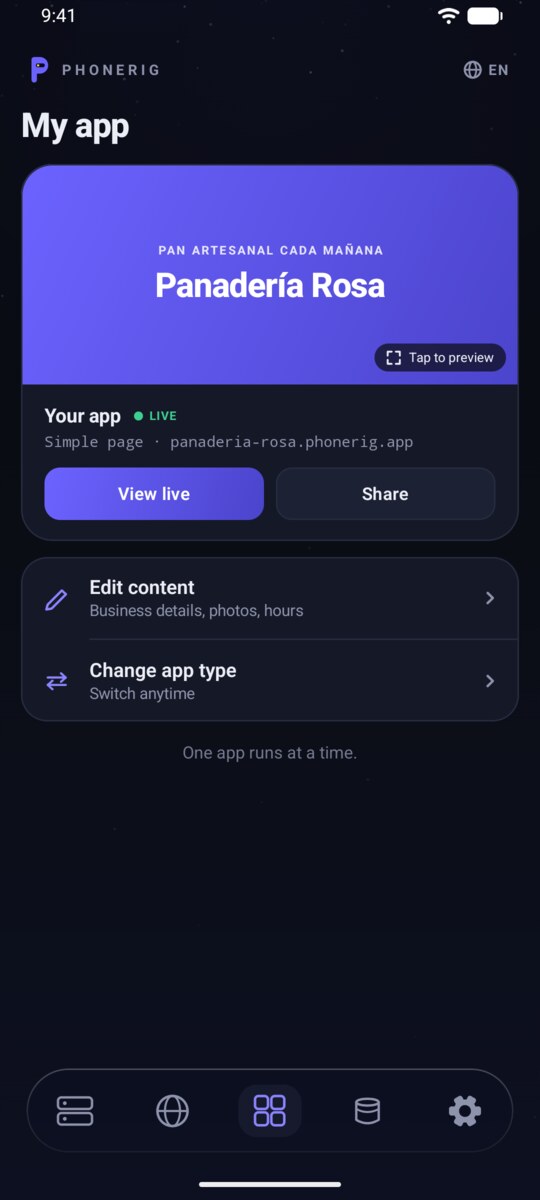
Your website (or installed app) with live status, a preview card, and edit shortcuts. Change app type any time - Simple page, WordPress, a file drive, code hosting and more, each with a "what's this for?" explainer.

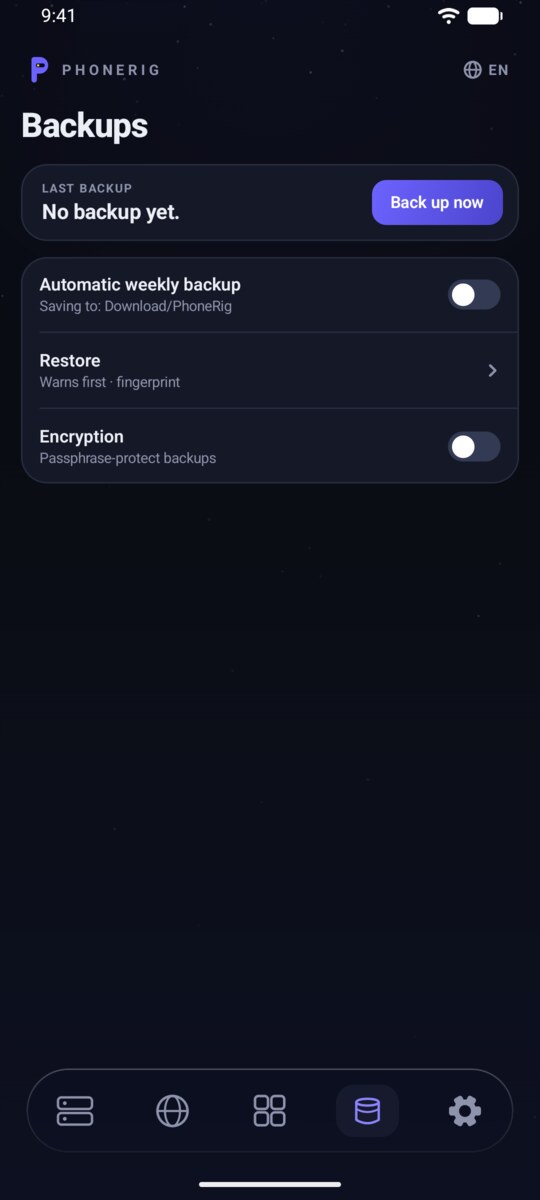
Back up now, automatic weekly backups to your Downloads folder, restore with a warning first, and optional passphrase encryption.

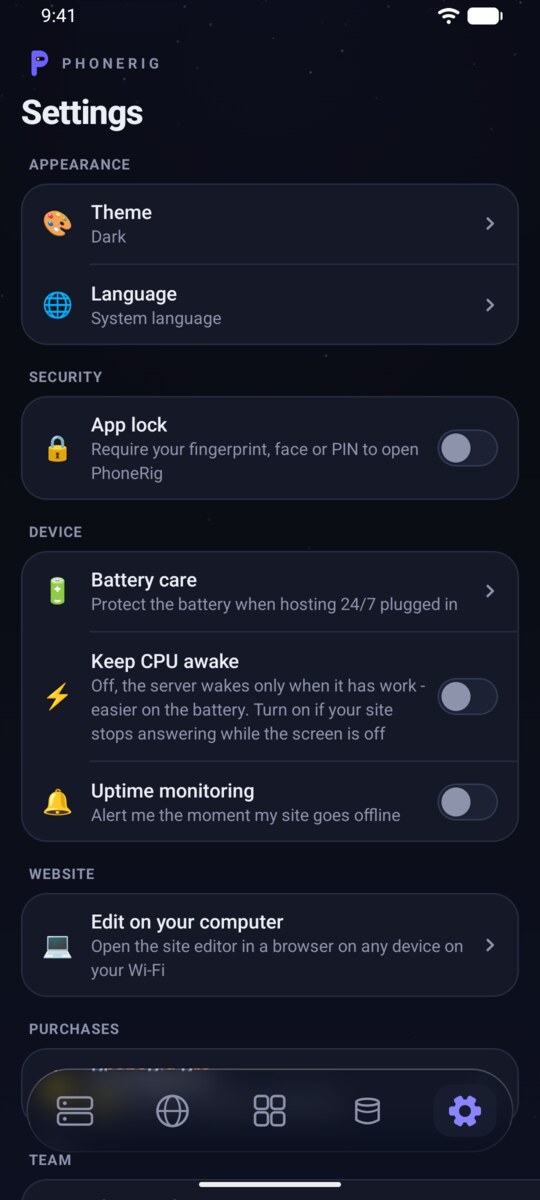
Theme and language, app lock, battery care, uptime monitoring, your purchases, and Fleet on this Wi-Fi (beta) - see your other PhoneRig phones on the same network.

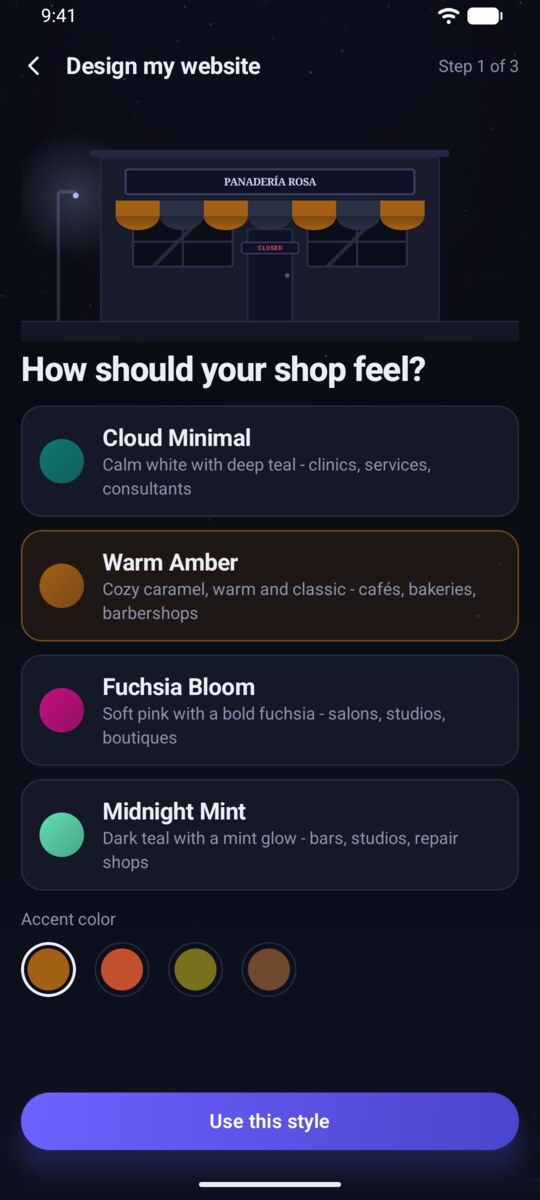
On the My app tab, pick a style - four looks in fresh 2026 colors, each with its own accent picker - and PhoneRig builds a beautiful one-page site. Free.

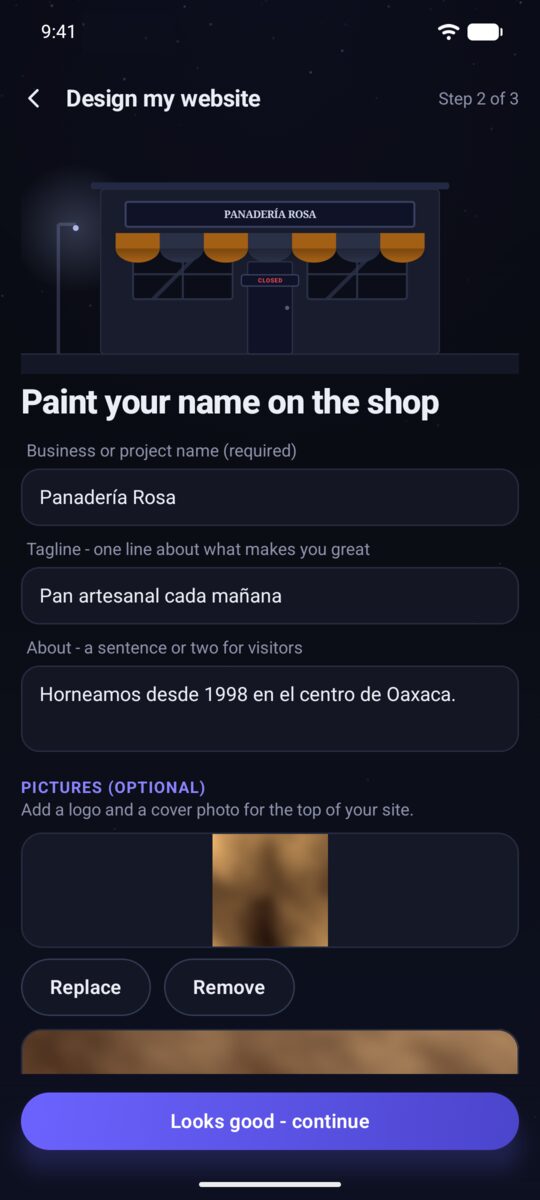
Your name, photos, a menu with prices (leave a price off and the line stays plain), and opening hours day by day - your site shows a live Open now badge. Your Call and WhatsApp buttons just work: your number carries its country code, and your address becomes a one-tap Get directions map link.

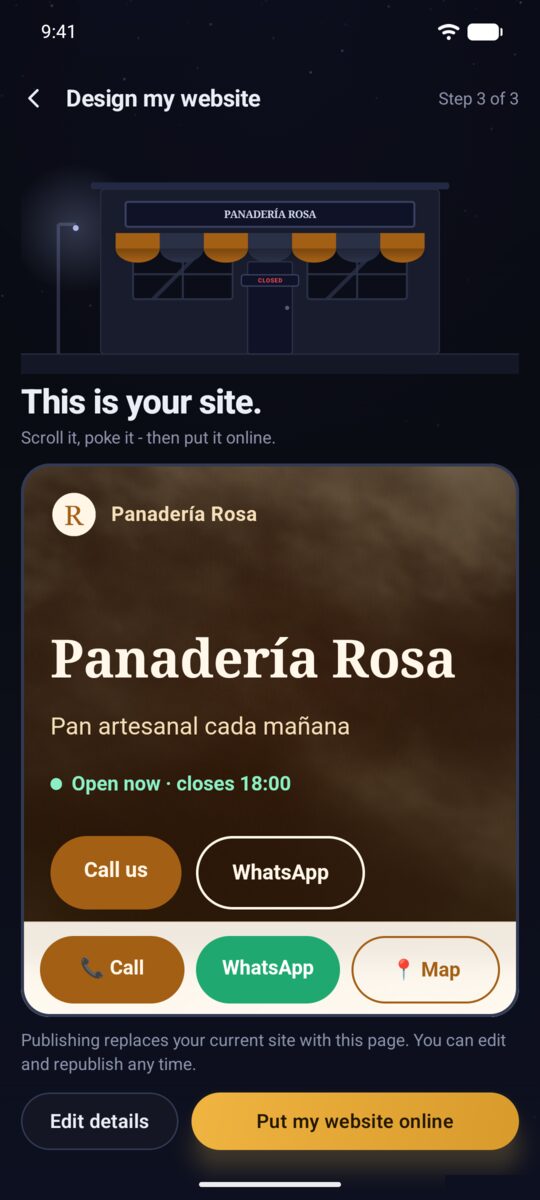
The last step shows your real site - scroll it, poke it, then put it online. Visitors can pick a service and send a booking straight to your WhatsApp. You also get a QR code to print for the shop window. Edit any time - changes go live instantly.

WordPress is our pick when your site grows: a full blog/shop platform, one tap to install via My app → Change app type. There's also a personal file drive, your own Git server and more. Installed apps show their login details right in the app.

Design a fully custom site on your computer with AI tools, then host it on your phone for free. My app → Change app type → Custom / build with AI walks you through the workflow.
Your phone is the server. Keep it on the charger and on your home Wi-Fi so visitors can always reach it.
Most phones can cap charging to protect a battery that lives at 100%. Settings → Battery care takes you to the right switch.
The Backups tab: weekly automatic backups to your Downloads folder and one-tap restore. Uptime alerts live in Settings → Uptime monitoring.
Update PhoneRig from Google Play like any app - your server and its data stay put. The app tells you when a new version is out.
Server tab → Restart. This fixes most hiccups in seconds.
Server tab → Recent activity. It's a plain-language log of starts, stops and connectivity drops - what happened, and why, shows up there first.
Stuck? Join the PhoneRig Discord - we're friendly, and screenshots of the log screen help a lot.