A Raspberry Pi you already own

Your old Android phone is a better home server than a Pi

One app turns a spare phone into a real web server: your own website, your own domain, served from your shelf. It arrives with a battery, a screen and a case already attached, and it costs you nothing new.

Get PhoneRig on Google Play

No root needed · Android 8+ · 64-bit (arm64) · more than 2 GB of RAM

The honest comparison

Raspberry Pi 5 vs the phone in your drawer

Raspberry Pi 5 kitYour old phone
Cost to get runningabout $100 with PSU, case, SD card$0, it is in the drawer
Power cutgoes dark, SD card at riskkeeps running on its battery
Screen for setup and statusnone, bring your ownbuilt in
StorageSD card, the classic weak pointfaster internal flash, but soldered in
Case, cooling, cableseach one a purchasealready a finished device
Time to a live websitean afternoon of imaging and configminutes, guided by the app

A Pi is a wonderful tinkering computer and we mean it no harm. But if the goal is "my website, online, from my own hardware", the phone is the shortcut: recent mid-range and flagship chips hold their own against a Pi 5, and the battery doubles as a built-in UPS. The trade in the storage row runs both ways: phone flash is faster and tougher than a commodity SD card, and it is also soldered in, so it cannot be swapped when it eventually wears. What that means in practice, and what PhoneRig does to write less, is set out in flash wear, honestly.
What it becomes

A real server, not a toy

Your website, your domain

Serve a site straight from the phone with HTTPS handled for you. Connect your own custom domain so visitors see a proper address, not a subdomain.

Full Ubuntu underneath

PhoneRig runs a genuine Ubuntu system on the phone, no root required. Install packages, run scripts, host web apps: it is Linux, because it is Linux.

Built-in site builder

No site yet? Build one on the phone in minutes: photo hero, contact buttons, live preview. Or upload the site you already have. Prefer WordPress? One tap installs the real thing.

SSH and more

A real SSH server for remote work, file serving, and a travel proxy that lets you browse through your home connection from anywhere.

More ideas on the use cases page: eighteen things people actually run on a PhoneRig, from shared photo albums to home labs.

How it works

From drawer to online in three steps

Install PhoneRig on the spare phone

Any 64-bit (arm64) phone on Android 8 or newer with more than 2 GB of RAM. Not sure about yours? Check the supported phones list.

Let the app set up the server

PhoneRig downloads and configures the Ubuntu system for you: guided, on the phone, no computer needed and no root. Plug the phone into its charger and let it work.

Put your site online

Build a page in the app or drop in your own files, and PhoneRig opens a secure tunnel so your site is reachable from the internet with HTTPS, without touching your router.

Before you install

The honest fine print

The phone stays home, powered

It is a server now: it lives on a charger, on your Wi-Fi. Phones are built to sit on power for years, and it draws only a few watts, less than most single-board kits with their PSUs.

Sized for real personal sites

A portfolio, a business page, a blog, a web app for your club: comfortably. It is not built to be a data centre, and does not pretend to be.

Hardware requirements are firm

64-bit (arm64) Android 8 or newer with more than 2 GB of RAM. Older or smaller phones are not supported on purpose: below that, the experience is misery.

Starts free, upgrades are optional

Try it with everything on a PhoneRig address first. The custom domain upgrade is there when you want your own address on it.

See it running

What it looks like on the phone

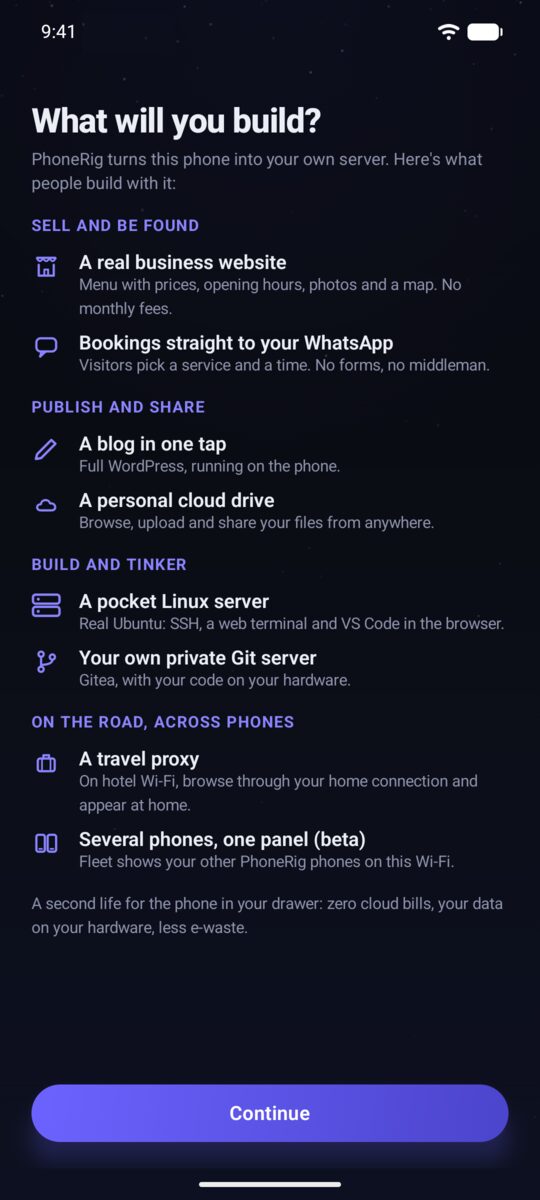
PhoneRig overview screen showing what you can build
Pick what to build
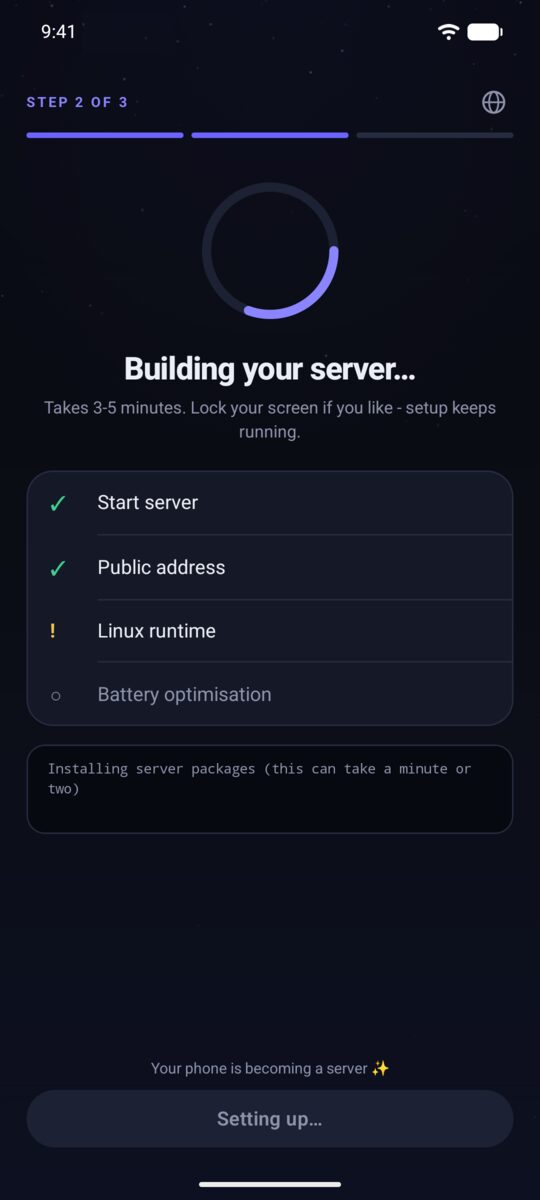
PhoneRig guided setup installing the Ubuntu system
Setup runs itself
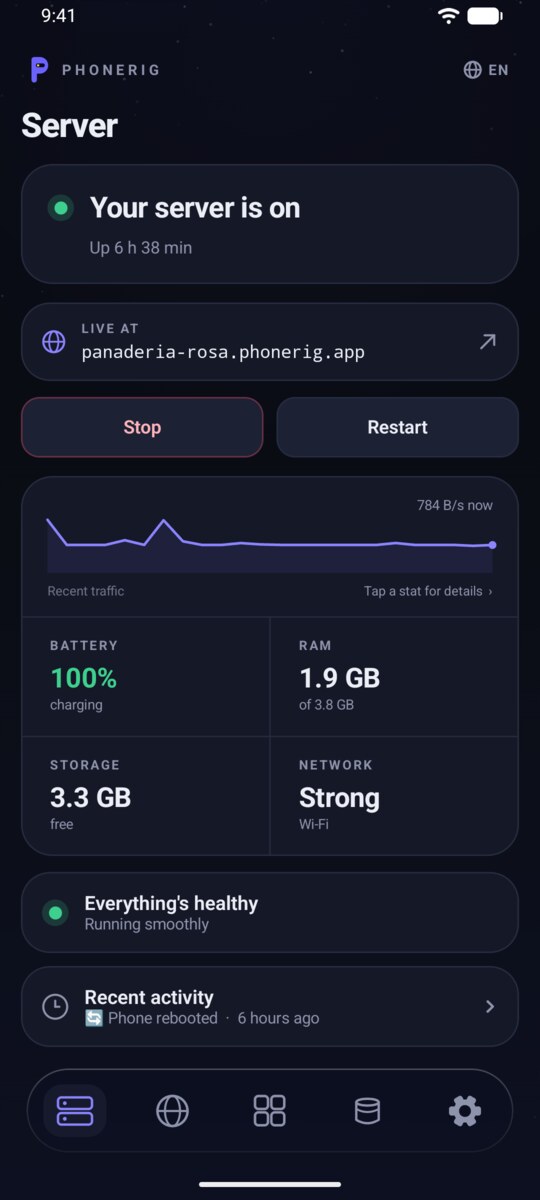
PhoneRig server screen with the server running
The server, running
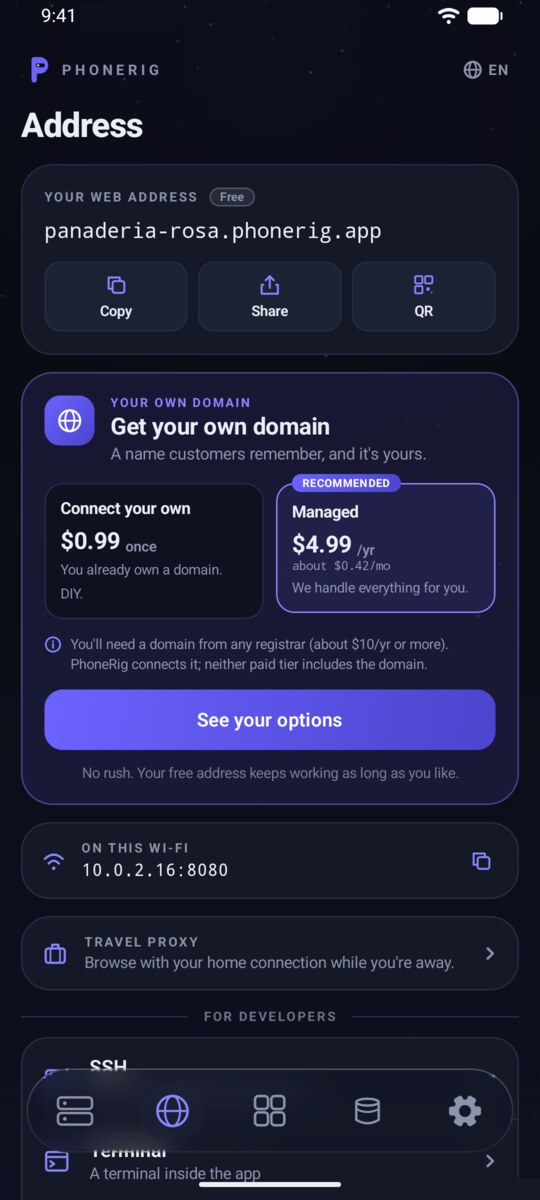
PhoneRig address screen showing the site online at its address
Your site, online

More screens, step by step, on the how to use page.

Give the drawer phone a job

It is a server. It just does not know it yet.

Install PhoneRig on the spare phone, plug it in, and have your own corner of the internet running tonight.

Get PhoneRig on Google Play